Clean PDF Editor for Windows — Powerful PDF Editing & OCR Tool
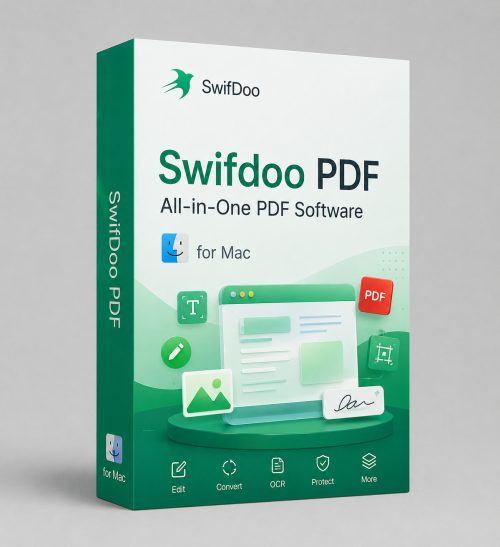
100% Clean PDF Editor for Windows lets you edit, convert, merge, split, annotate, sign, translate, and manage PDF files in one place. It also supports OCR for scanned PDFs and AI-powered PDF chat for faster work with documents.
Why Users Choose Clean PDF Editor
- All-in-one PDF solution: edit, convert, compress, sign, protect, and organize PDF documents.
- OCR support: recognize and extract text from scanned and image-based PDFs.
- AI features: summarize, explain, translate, proofread, and rewrite PDF content.
- 10GB cloud storage: keep your files accessible and organized.
Clean PDF Editor is a cost-effective PDF document manager for Windows users who need both essential PDF tools and advanced productivity features. From simple reading and annotation to OCR and AI-powered document analysis, it helps streamline everyday PDF work.
- Edit text, images, and links directly in PDF files.
- Convert PDFs to Word, Excel, PowerPoint, JPG, EPUB, CAD, and more.
- Merge, split, compress, encrypt, sign, and print PDF documents with ease.
- Translate PDF documents across 100+ languages.
- Chat with PDFs using AI to summarize, analyze, explain, and rewrite content faster.
Who Is This PDF Editor For?
- Office users working with contracts, reports, and forms.
- Students and teachers editing, annotating, and translating PDFs.
- Business users handling document conversion and signing.
- Teams managing scanned files that require OCR.
- Anyone needing an AI PDF assistant to speed up document work.
What You Can Do with It
- Edit and annotate PDF files.
- Convert PDF to and from popular formats.
- Extract text from scanned PDFs with OCR.
- Protect and sign documents securely.
- Batch process multiple files at once.
A practical choice for users who want both standard PDF tools and advanced AI features in a single app.
Main Features
Open / Create / Read
Open or create PDFs from blank pages, images, scans, files, CAD, and HEIC.
Edit / Annotate
Insert text, highlight content, mark up files, and edit PDF elements.
Merge / Split
Combine multiple PDFs or split pages into separate files in seconds.
Convert / Compress
Reduce file size and convert PDFs to popular formats without hassle.
Advanced productivity: Clean PDF Editor combines OCR, batch processing, translation, and AI PDF chat to help users save time on repetitive document tasks.
Core PDF Tools
Convert PDF
Convert PDFs to Word, Excel, PowerPoint, JPG, HEIC, EPUB, CAD, and more.
- Bidirectional conversion support.
- Preserves formatting and layout.
- Fast export for daily workflows.
OCR PDF
Recognize and extract text from scanned PDFs and image-based documents.
- Makes PDFs searchable and editable.
- Supports scanned image documents.
- Can convert OCR results into editable files.
Sign & Protect PDF
Add passwords and signatures to protect PDF documents and workflows.
- Prevent opening, copying, editing, or printing.
- Support handwritten and uploaded signatures.
- Useful for contracts, approvals, and forms.
Batch Processing
Convert, compress, encrypt, split, and print multiple PDFs at once.
- Great for large document workloads.
- Saves time on repetitive actions.
- Maintains original layout and quality.
More Helpful Tools
- Compress PDF: reduce file size by selected compression level and image quality.
- Add / Remove Watermark: protect PDFs with text or image watermarks, or remove them in one click.
- Add Links / Pages / Images: enrich PDF files with navigation, extra pages, and visuals.
- Print PDF: print double-sided, grayscale, booklet-style, or include comments.
Advanced Features
More than a basic editor — Clean PDF Editor includes AI, OCR, translation, and batch automation tools for serious PDF work.
AI PDF Chat
Analyze and chat with PDF documents to quickly understand content, extract insights, and get answers.
Translate PDF
Translate words, phrases, or full PDF documents with layout preserved across 100+ languages.
OCR for Scanned PDFs
Turn scanned and image-only PDFs into editable, searchable documents without losing structure.
Batch PDF Processing
Convert, compress, encrypt, split, and print numerous PDF files at once while preserving quality.
Built for productivity: Clean PDF Editor combines everyday PDF essentials with advanced document intelligence in one Windows application.
Frequently Asked Questions
General
What can I do with Clean PDF Editor?
It allows you to edit, annotate, convert, merge, split, compress, sign, encrypt, print, and translate PDF files, as well as process scanned documents with OCR.
Is this software suitable for scanned PDFs?
Yes. It includes OCR technology to recognize and extract text from scanned and image-based PDF documents, making them editable and searchable.
Can I translate PDF files?
Yes. You can translate selected text instantly while viewing a PDF or translate entire PDF documents with formatting and layout preserved.
AI & Productivity
Does it support AI PDF chat?
Yes. The AI PDF feature helps summarize, explain, translate, proofread, rewrite, and analyze PDF content in seconds.
Can I batch process multiple files?
Yes. The software supports batch converting, compressing, encrypting, splitting, and printing multiple PDFs at once.
Who is this best for?
It is ideal for business users, students, legal teams, office staff, and anyone who regularly works with PDF documents and wants faster workflows.
PDF Management
Can I edit text and images in a PDF?
Yes. Clean PDF Editor supports editing text, images, and links directly inside PDF files.
What formats can it convert to?
It supports conversion between PDF and Word, Excel, PowerPoint, JPG, HEIC, EPUB, CAD, HTML, TXT, and more.
Can I add passwords and signatures?
Yes. You can password-protect PDF files and sign them with handwritten or uploaded signatures.
Ready to simplify your PDF workflow?
Get Clean PDF Editor for Windows with editing, OCR, conversion, translation, and AI PDF chat tools in one solution.
PDF editing • OCR • AI tools • Secure workflow