
Windows 11 Pro + Office 2024 Professional + AppCrypt: Homework-Ready PC Bundle, 3 Lifetime License Keys
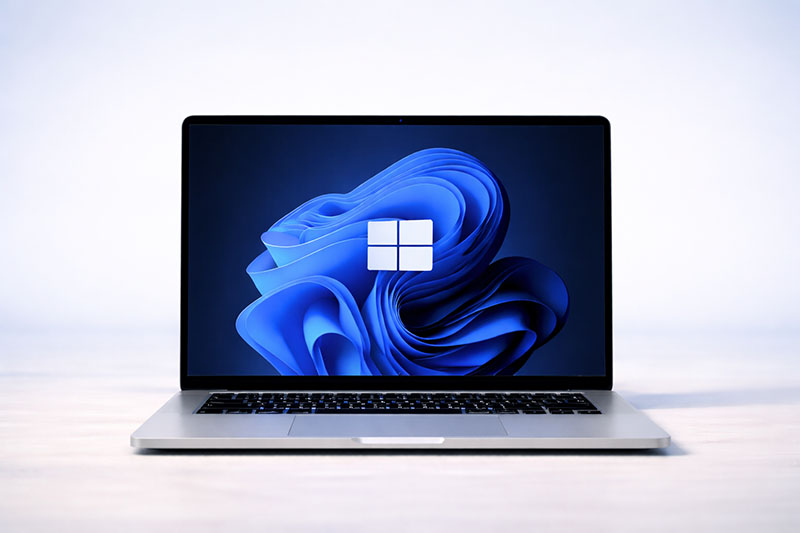
Three separate product keys: Windows 11 Pro, Office 2024 Professional and Cisdem AppCrypt for Windows. The keys are fully independent. Activate everything on the same PC, or split the products between machines. All three keys arrive together, by email, within minutes of payment.
Included: AppCrypt, the password lock for your PC
A new computer for the family comes with a new question: who gets to open what, and when. AppCrypt answers it with one password.
- Lock apps: games, browsers, chat apps or email open only with your password.
- Block websites: single sites, whole categories, or all adult content with one click.
- Set schedules: for example, no games or video sites on school nights until homework is done.
- Lifetime license for 2 PCs, no subscription and no accounts to create for your kids.
Check Before You Buy
- Windows only: Office 2024 and AppCrypt in this bundle install on Windows 10 and Windows 11. Not for Mac or Chromebook.
- Separate keys: 3 keys total. Windows 11 Pro and Office 2024 activate 1 PC each, AppCrypt covers 2 PCs.
- Upgrade path: Windows 11 Pro upgrades an existing Windows 10 or Windows 11 Home installation, or activates a clean install.
- Previous Office: uninstall Microsoft 365 trials or older Office versions before installing Office 2024.
- AppCrypt developer: AppCrypt is made by Cisdem, an independent software developer. It is not a Microsoft product.
- One-time purchase: lifetime licenses, no subscription and no recurring billing.
Part 1: Windows 11 Pro
The full professional edition of Windows 11, not Home. Everything in Home, plus the business and power user features Microsoft keeps behind the Pro tier: BitLocker drive encryption, Remote Desktop host, Hyper-V virtualization, domain join and Group Policy, and Windows Sandbox.
Also in Windows 11: Snap Layouts for multitasking, virtual desktops, DirectStorage and Auto HDR for gaming, redesigned Start menu and taskbar, and full security updates from Microsoft.
System requirements: 64-bit processor (1 GHz, 2 or more cores), 4 GB RAM, 64 GB storage, UEFI with Secure Boot, TPM 2.0, DirectX 12 compatible graphics.
Part 2: Office 2024 Professional
The complete Professional suite: Word, Excel, PowerPoint, Outlook, OneNote and Access 2024. The perpetual release, installed locally on your PC, with no monthly fee. (Publisher is no longer part of Office 2024.)
Also included: OneNote 2024 (notes and ideas) and Access 2024 (database management). Access is the app that separates Professional from Standard.
Part 3: Cisdem AppCrypt for Windows (Lifetime, 2 PCs)
Windows and Office make the PC work. AppCrypt decides who uses it for what. It puts a password on the apps you choose, blocks the websites you choose, and follows the schedule you set. Everything runs from one password on the computer itself: no Microsoft accounts to create for your kids, no monthly subscription.
Lock Any App With a Password

- Any Windows app: games, browsers, chat apps, email or Office apps. Add them by shortcut or .exe file.
- Automatic re-lock: apps lock again after they sit inactive for a set number of minutes, or when you leave the computer.
- AppCrypt locks itself too: the password is required to open AppCrypt, change settings, turn protection off or quit.
- Failed attempts are logged with the app name and time, so you see who tried and when.
Block Websites and Whole Categories
- Block an entire site, a single page, or any address that contains words you choose.
- Block ready-made categories: games, social, video, dating, gambling, shopping, news, proxy sites and more.
- Block all adult websites with one click.
- Allow-only mode: block all websites and keep only the exceptions you approve.
- Works in Chrome, Edge, Firefox, Opera and Brave through the Cisdem Web Blocker browser extension.
- Redirect blocked pages to a site of your choice, and import or export your block list as a text file.
Set It to Your Schedule

Example: a school-night setup
- Monday to Thursday, 4 PM to 8 PM: games, chat apps and video sites locked. Word, Excel and school websites stay open.
- Every night, 10 PM to 7 AM: only approved websites are allowed.
- Always: adult websites blocked.
- Friday to Sunday: schedule off, adult content filter stays on.
Presets for working days, weekends and every day, or pick custom days and hours.
Built to Resist Workarounds

- Starts with Windows automatically.
- Can disable Task Manager, Command Prompt and system settings, the usual ways to shut a blocker down.
- Stops the browser extension from being removed or disabled.
- Can turn off private and guest browsing, so the website filter cannot be skipped in an incognito window.
- Same rules on a second PC: export your settings to a file and import them on the other computer. Your password is never included in the file.
Lifetime license: one key covers 2 Windows PCs, with free version upgrades on the same key. System requirements: Windows 10 or Windows 11.
Why Take the Bundle
- A PC you control from day one. The operating system, the Office suite and the password lock that decides how the PC gets used, in one order.
- Cheaper together than buying the operating system, the Office suite and an app locker as separate orders.
- One checkout, one delivery email with all three keys and all three sets of instructions.
- Room for the whole household. Put Windows 11 Pro on the new build, Office on the family laptop, and AppCrypt on both.
- A complete workstation from a fresh install: operating system, documents, spreadsheets, presentations, email, databases and access control, all covered.
Who Is This Bundle For?
- Parents setting up a PC for school who want Office for homework and clear limits on games and websites.
- New PC builders who need both the operating system and the productivity suite from day one.
- Families sharing one or two computers who want some apps private and some sites off limits.
- Remote workers and students who want to shut out distractions during work or study hours.
- Windows 11 Home owners who want BitLocker, Remote Desktop or Hyper-V.
- Professionals and small businesses who want everything in one purchase, without a subscription.
What This Is NOT
- Not Microsoft 365. All three licenses are perpetual, with no subscriptions or recurring billing.
- Not a trial. None of the licenses expire.
- Not a multi-PC volume license. The Windows and Office keys activate 1 PC each. The AppCrypt key covers 2 PCs.
- AppCrypt is not a Microsoft product. It is developed by Cisdem and activated with its own key.
- AppCrypt is not a monitoring app. It locks apps and blocks websites. It does not record screens, read messages or track location.
- Office 2024 does not include Publisher. Microsoft ended its support. If you need Publisher, choose Office 2021 Professional.
- Not for macOS or Chromebook.
How It Works
- Purchase the bundle and check out.
- Instant delivery. All three product keys, download links and step by step instructions arrive by email within minutes.
- Windows 11 Pro first. Either upgrade from Settings, System, Activation, Change product key, or do a clean install with the Media Creation Tool and enter the key when prompted.
- Then Office 2024. Download the installer, run it, open Word, choose “Change your product key” and enter the Office key (or File, Account, Change product key).
- Then AppCrypt. Download AppCrypt for Windows from the link in your email, install it, enter the AppCrypt key, and create your password. Add the apps and websites you want to control, then restart your browsers once so website blocking takes effect.
- Done. Windows and Office are activated permanently on that hardware, and AppCrypt is protecting the PC.
Homework-Ready PC Bundle: Frequently Asked Questions
Keys & Activation
Is this one key or several?
Three separate keys: one for Windows 11 Pro, one for Office 2024 Professional and one for AppCrypt. Each is activated separately, with its own steps.
Can I install the products on different computers?
Yes. The keys are independent. Windows and Office activate 1 PC each, and AppCrypt can be used on 2 PCs.
Which one do I install first?
Windows 11 Pro first, then Office 2024, then AppCrypt.
Do I have to reinstall Windows to use the Pro key?
No. If you already run Windows 10 or Windows 11 Home, you can upgrade in place from Settings, System, Activation. Your files and apps stay where they are.
Can I reinstall later?
Yes. Reactivate on the same device with your keys.
AppCrypt
Who makes AppCrypt?
Cisdem, an independent software developer. AppCrypt is not a Microsoft product and comes with its own license key.
Do my kids need a Microsoft account for this?
No. AppCrypt works with one password that you set on the computer. There is nothing to sign up for.
How is this different from the family settings built into Windows?
Microsoft Family Safety requires a Microsoft account for each family member, and its website filters work only in Microsoft Edge (other browsers get blocked instead). AppCrypt runs on a single password and blocks websites in Chrome, Edge, Firefox, Opera and Brave. It also locks individual apps with a password.
Can my child just close AppCrypt or turn it off?
Quitting AppCrypt, turning protection off or changing its settings all require your password, and AppCrypt starts automatically with Windows. It can also disable Task Manager, Command Prompt and system settings, and keep its browser extension from being removed. Failed password attempts are recorded. For best results, give children a standard Windows account without administrator rights.
Can the website filter be skipped in incognito mode?
AppCrypt can turn off private and guest browsing in supported browsers, so blocked sites stay blocked.
I forgot my AppCrypt password. What now?
Contact our support or Cisdem support (support@cisdem.com) with a screenshot of your order confirmation. You will receive a one-time code to reset the password.
Does AppCrypt get updates?
Yes. New versions are free and activate with the same key.
Is AppCrypt a subscription?
No. It is a lifetime license for 2 Windows PCs.
Pricing & Authenticity
Is the price final? Hidden fees?
The price is final and includes all taxes.
How can you offer it so cheaply?
We buy in volume directly from our supplier and pass the savings on.
Is it genuine and permanent?
Yes. Genuine licenses with lifetime activation that does not expire, and they work worldwide.
Is the bundle cheaper than buying the products separately?
Yes, that is the point of the bundle. Same licenses, one lower price.
Features & Compatibility
What does Pro add over Windows 11 Home?
BitLocker encryption, Remote Desktop host, Hyper-V, Windows Sandbox, domain join and Group Policy management.
Will Office 2024 and AppCrypt run on Windows 10?
Yes, on Windows 10 and Windows 11. So you can install them now and move to Windows 11 Pro whenever you are ready.
What is the difference between Office Professional and Standard?
Professional adds Access, the database app, on top of the Standard apps.
Does it include Copilot AI?
No. Copilot is a Microsoft 365 feature and is not part of perpetual Office 2024.
My PC does not meet the Windows 11 requirements. What then?
Contact us before ordering and we will point you to the right edition for your hardware.
Delivery & Support
How does delivery work?
Instantly by email after payment: all three keys, download links and instructions. Digital only, no disc.
What if a key does not activate?
Write to us and we fix it, with a replacement key or a refund. Real people answer, usually the same day.
Can I contact support?
Yes. Reach out before opening a dispute and we will resolve it fast.
Get the Homework-Ready PC Bundle: Windows 11 Pro, Office 2024 Professional and AppCrypt
A complete PC with the rules you set. Three lifetime keys, one payment, no subscription. Instant delivery and real human support.